

HP EPRINT ENTERPRISE
办公商务
扫描打印
开发者:
来自互联网
应用介绍: Print on-the-go! Easily find and print to HP public print locations, available through HP’s cloud-based network of providers – like FedEx Office, The UPS Store, Walmart photo kiosks, Swiss Post, registered hotels, and more. How it works*: 1. Open the HP ePrint service app and select the content you want to print (email, web page, photo, clipboard, iTunes Shared file, etc.), or open a document from another app**.2. Search for a public print location by tapping on the “Near me” button to locate the closest options (GPS-based search), or by entering keywords in the search bar.3. Tap Print! You should receive a retrieval code to maintain your privacy – required to get the printout.4. Go to the public printing location (store, hotel front desk, etc. – the app will show you where on the map), provide your retrieval code and get your printout. For corporate printing, this app supports HP ePrint Enterprise: a private cloud-based solution for corporate network printers (optional, must be purchased separately). For more information, check www.hp.com/go/eprintenterprise. More information at: www.hp.com/go/eprintmobile. For printing to HP printers, check the HP ePrint Home & Biz app at: https://market.android.com/details?id=com.hp.android.print. * Usage of HP ePrint mobile print location service requires Internet and email-capable device running Android 2.1 or newer, with separately purchased wireless Internet service and the HP ePrint service app. Availability and cost of printing varies at mobile print locations. ** Other apps must provide individual access to files and enable exposure to these registered document type handlers from Android.
覆盖渗透率:
0.000%
应用大小:
4.0M
应用上线时间:
2018.10.17
数据概览
排名分析
用户生命周期
用户覆盖
新增用户
活跃用户
用户留存
用户质量分析
启动次数
使用时长
用户构成
用户特征分析
用户画像
用户偏好
设备分析
线下行为
运营数据分析
重合分析
来源去向
应用截图


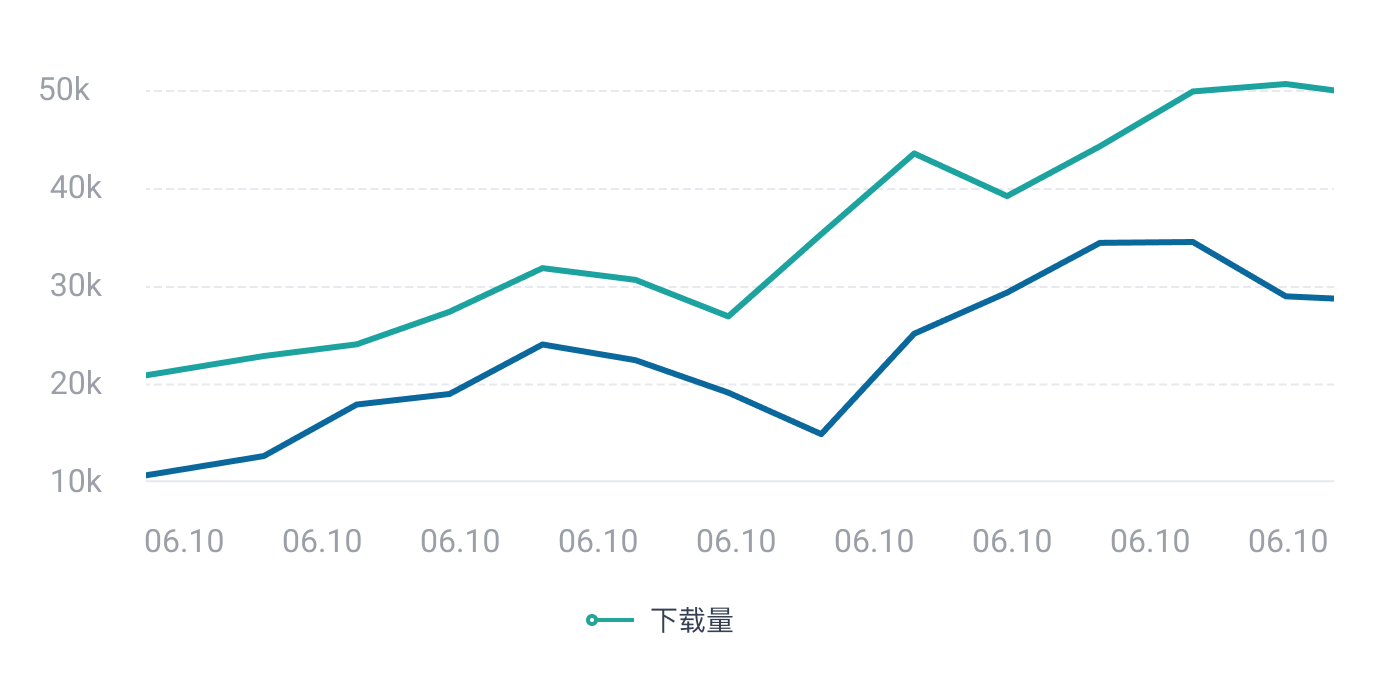
日活跃用户
 立即联系,体验更多数据
日新增用户
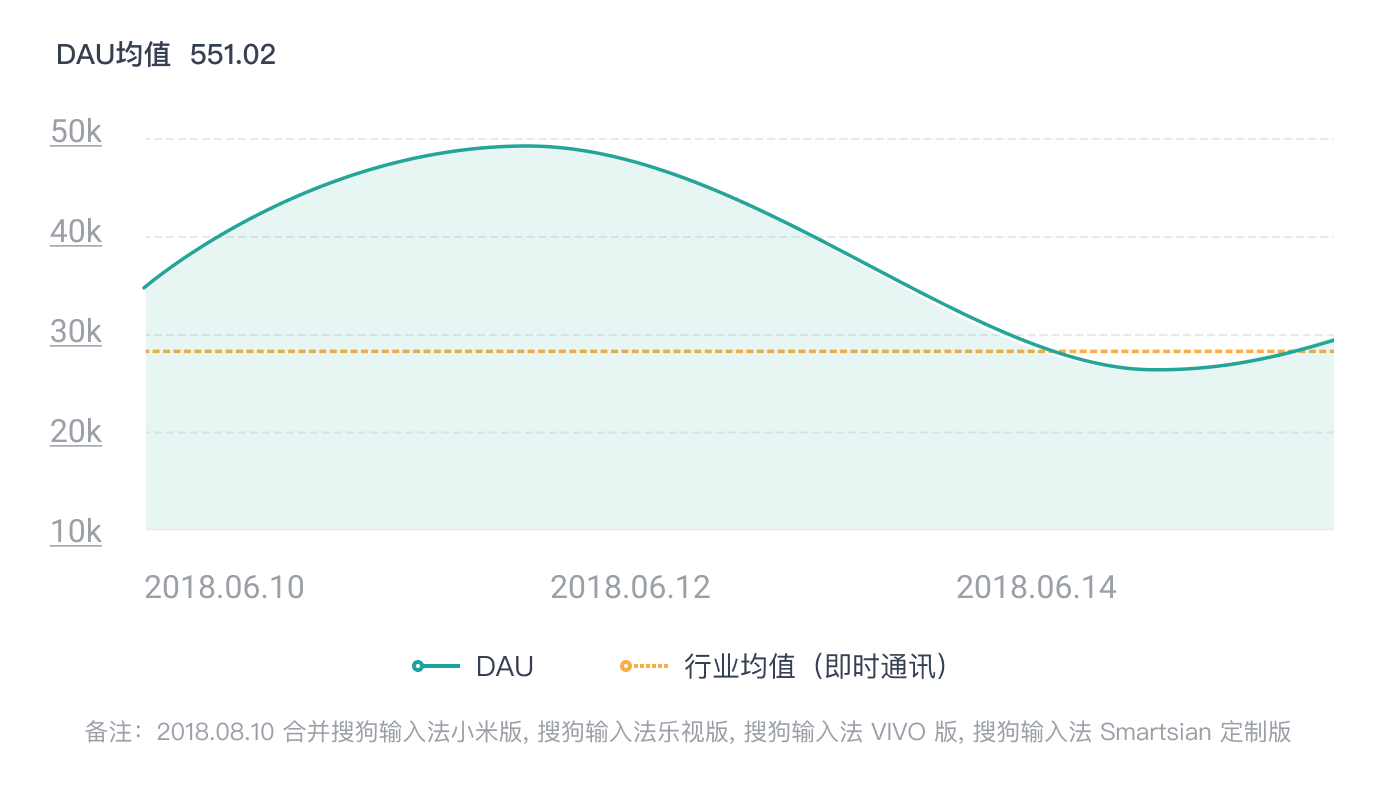 立即联系,体验更多数据
人均使用时长
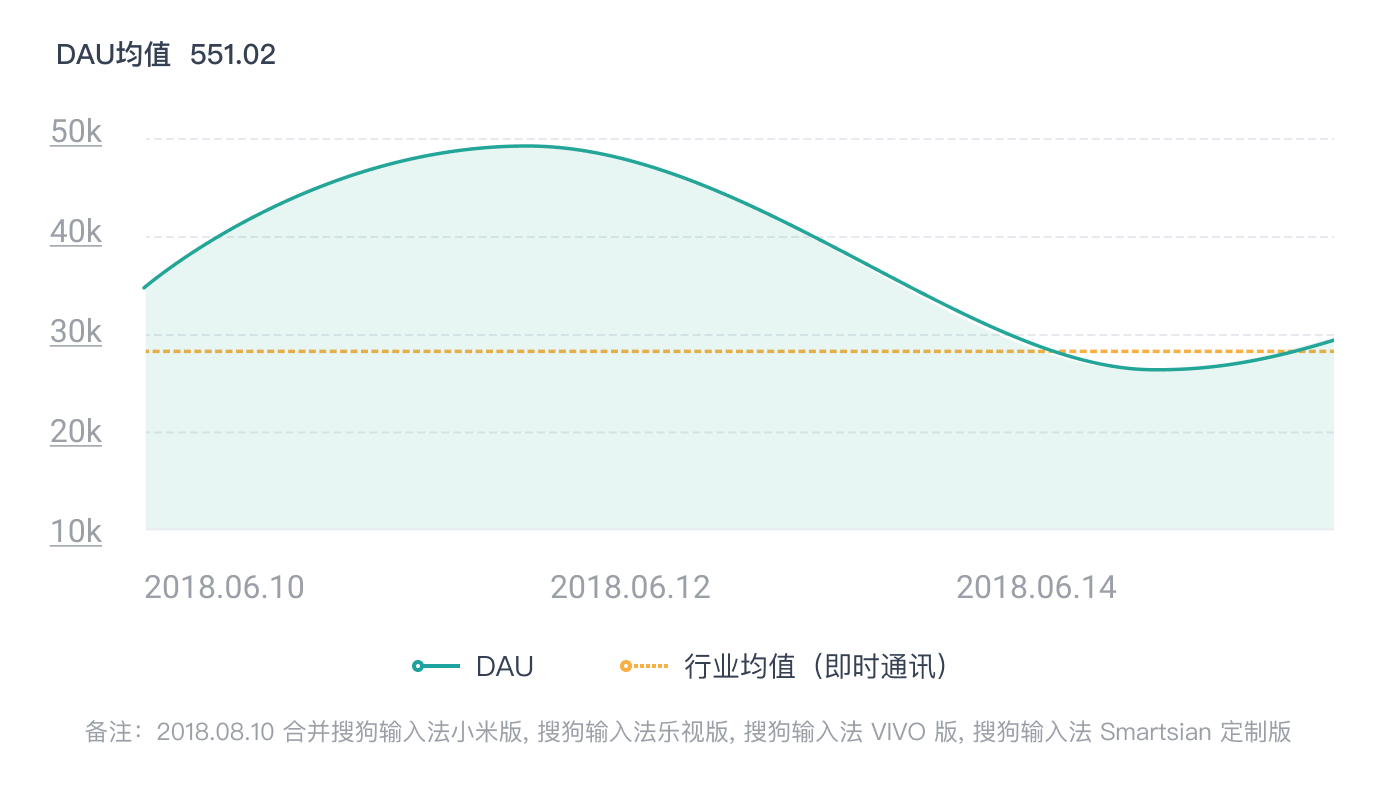 立即联系,体验更多数据
性别分布/年龄分布
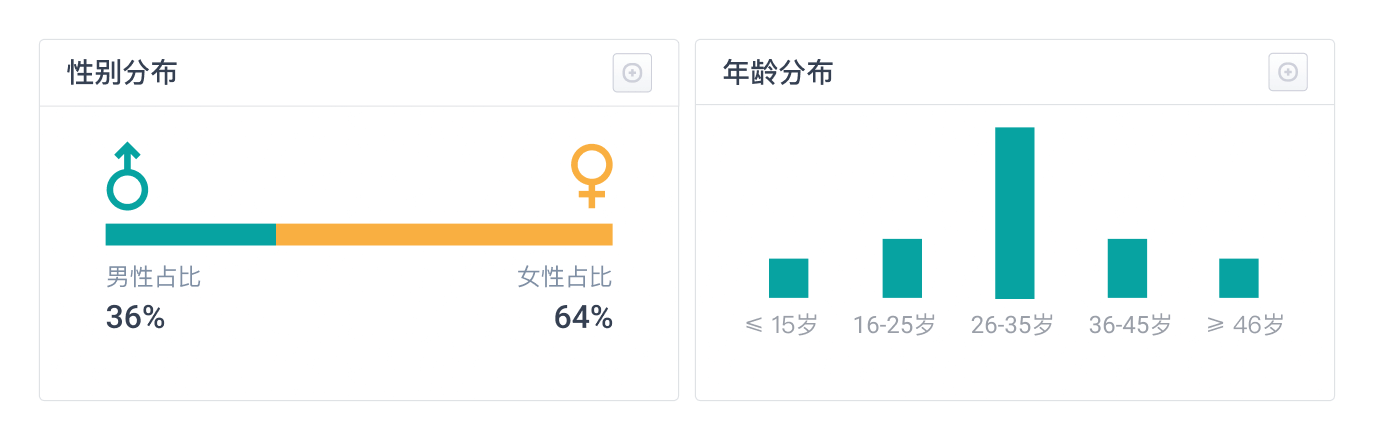 立即联系,体验更多数据
地域分布
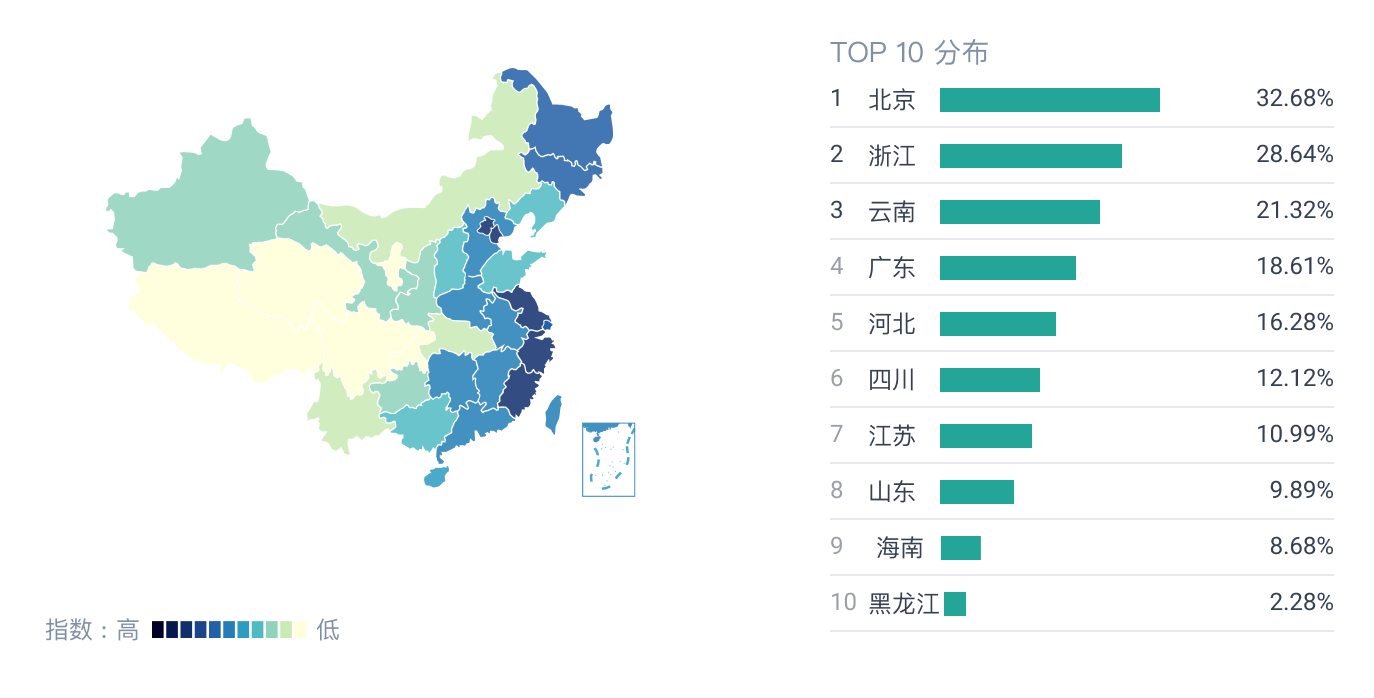 立即联系,体验更多数据
更新记录
版本号
更新时间
1.6.0
2017-12-07
1.7.0
2019-03-31
1.8.0
2021-01-23
显示全部

立即联系